
- Home
- Scoreboards
- Design guide
Seven steps · phone or computer · no sign-up
How to design a scoreboard online
A scoreboard is rarely just the board. Most schools and clubs buy a system — the board, a header with their name, a video display and a sponsor sign — and the Fair-Play designer draws the whole stack to scale while you choose. Here is what each choice means.
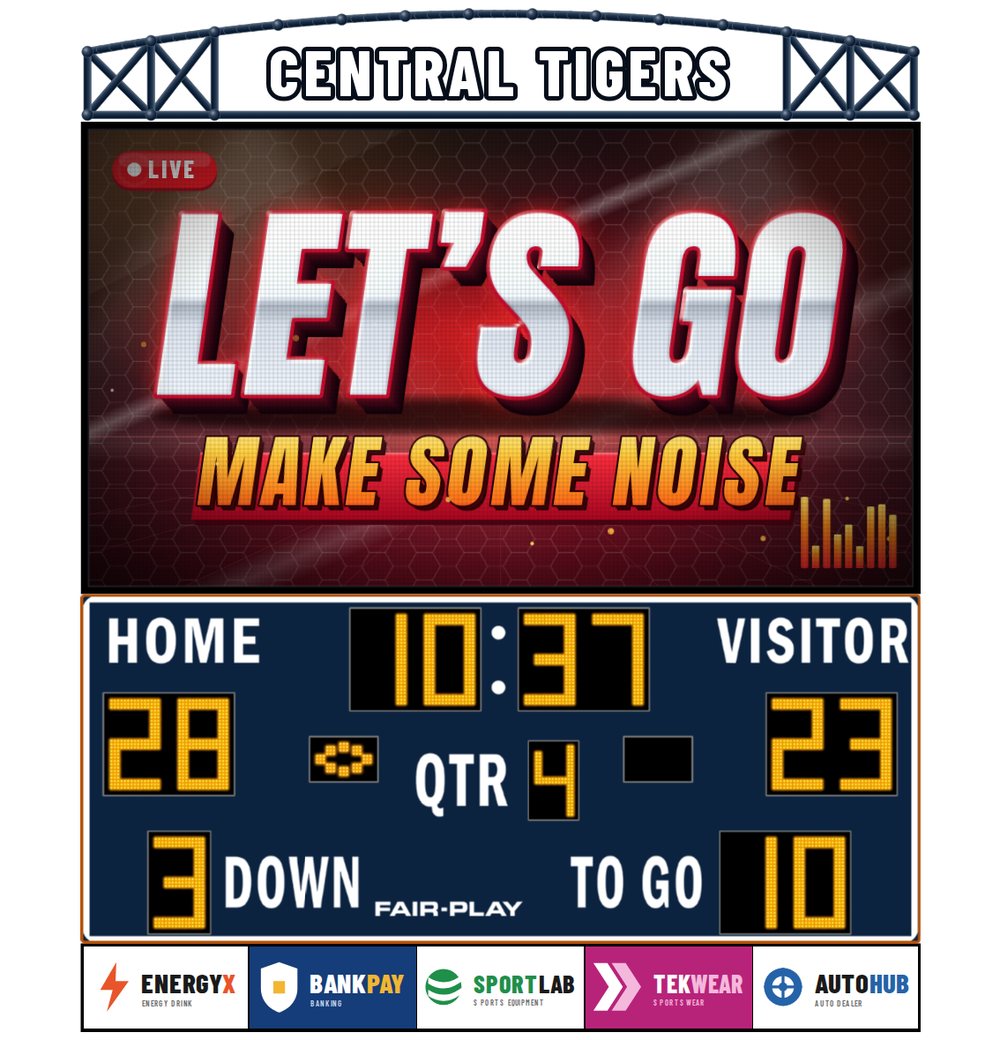
The parts of a scoreboard system
- The scoreboard — a fixed-digit board for your sport: score, clock and the game information that sport needs. It sets the width of everything else.
- The header — outdoors, a steel truss in the Arch or Rectangle style with your name lettered across it; indoors, a flat top billboard. Full width, in the board colour or its own.
- The video display — an LED video screen for replays, crowd prompts and advertising. The pixel pitch sets how sharp it looks from the seats: a smaller number is a finer picture.
- The Bottom sign — one to five sponsor panels under the board; sponsors often pay for the system over a few seasons.
- The Premium Upgrade — Electronic Team Names or Rear-Illuminated Captions in place of the printed “Home” and “Guest”.
Every part is the same width as the board, so the finished stack reads as one piece. Each part has its own on/off switch — start with the board alone and add what your budget allows.
Step by step
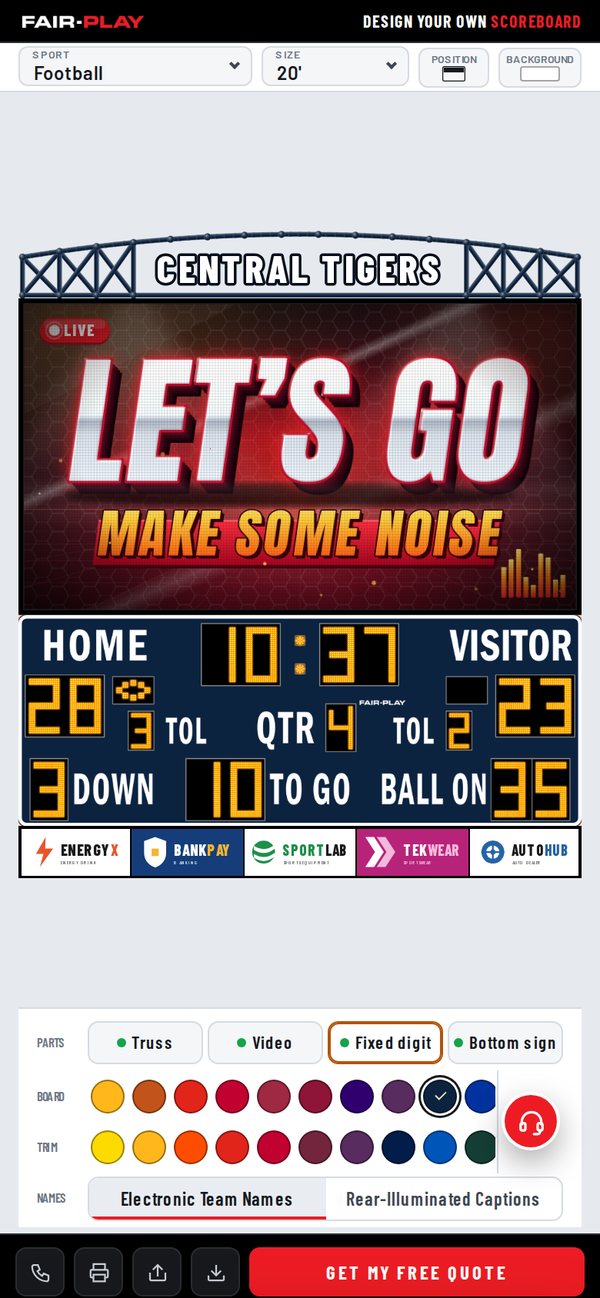
- Choose the sport and the sizePick your sport at the top of the designer; it opens on the most common board for that sport. The Size list shows every width the sport comes in, and the picture redraws to scale.
- Choose the board and trim coloursTap a Board colour and a Trim colour from the Fair-Play palette. The truss or top billboard follows the board colour until you give it its own.
- Add the header and your nameOutdoor boards take an Arch or Rectangle truss, indoor boards a flat top billboard. Type your facility or team name and it is lettered across it.
- Add a video displaySwitch the video display on, choose the LED product by pixel pitch, and place it above or below the board — indoors it can also sit beside it.
- Add the Bottom signThe Bottom sign carries one to five sponsor panels under the board, the same width as everything above it.
- Choose the Premium UpgradeElectronic Team Names and Rear-Illuminated Captions replace the printed “Home” and “Guest”. Either, both or neither.
- Save, print, share or get a quoteSave a picture, print a one-page PDF, share a link, or send the design to Fair-Play for a quote.
Indoor and outdoor systems
The designer knows which sports play where. Football, baseball and softball, soccer, lacrosse, tennis, track and field and multi-purpose boards are outdoor systems: weatherproof cabinets, a truss header, outdoor LED video products, and sponsor panels above and below only.
Basketball, volleyball, hockey and wrestling are indoor systems: a flat top billboard instead of a truss, finer-pitch indoor video, and a video display that can sit above, below or beside the board. Aquatics boards come both ways.
The Background button puts the whole system on a plain colour, in a venue scene, or over your own photo of the gym wall or the end zone — a quick way to show a board or committee how it will look in place.
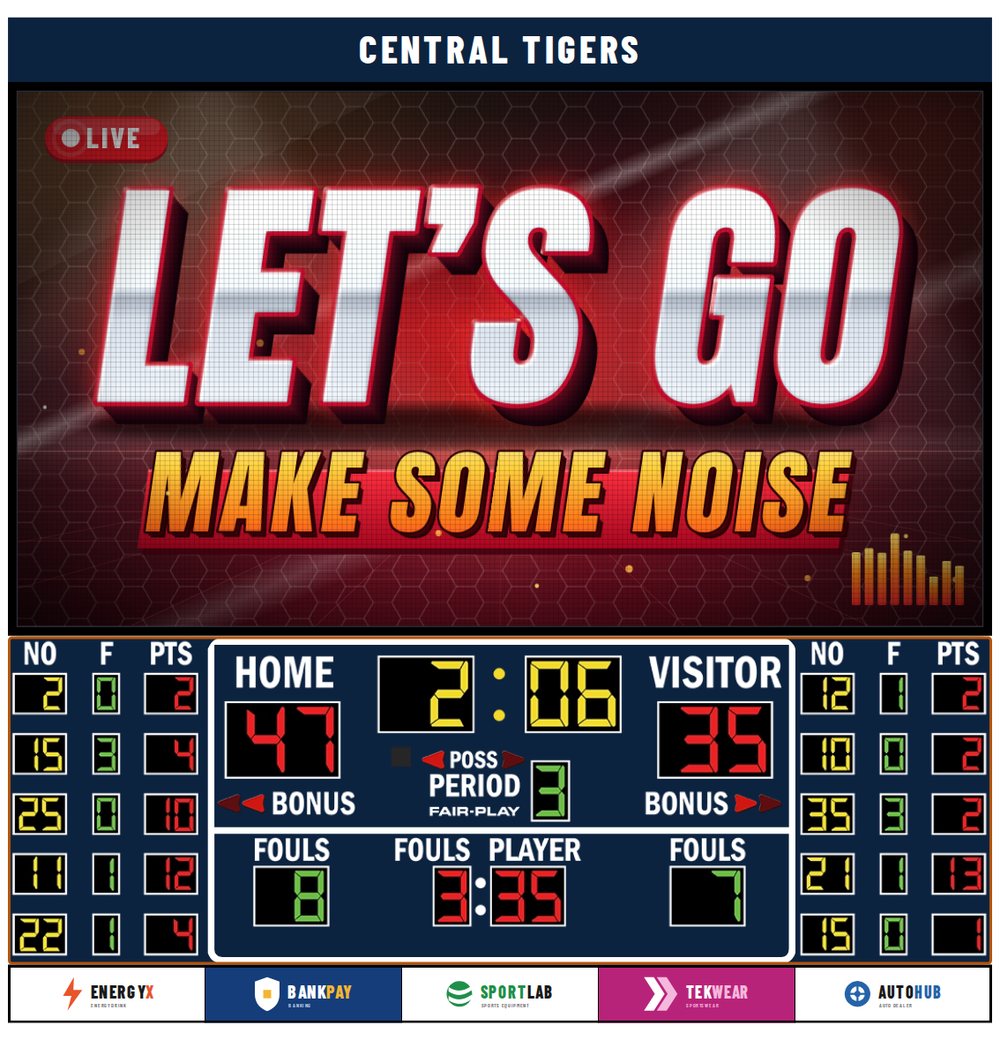
Four ways to take your design with you
- Save — a tall picture of the design with its description and a QR code back to it, sized for a phone screen or a message to your committee.
- Print — a one-page letter-size PDF: the picture, what the design includes, and how to reach Fair-Play.
- Share — a short link, or an email that carries the picture and the PDF. Opening the link on a computer reopens the design for editing.
- Get my free quote — your email and state or province are enough. Fair-Play replies with pricing; nothing is charged and nothing else is required.
The phone designer carries a few boards per sport; the same page on a computer offers every size, and the Pro designer adds the full catalog, LED video walls, hybrid scoreboards and sponsor artwork.
Common questions
How wide should our scoreboard be?
Wide enough to read from the farthest seat. Gym boards usually run 7 to 18 feet and stadium boards 14 to 45 feet; the sport pages list the sizes for each sport, and your Fair-Play representative confirms the choice against your viewing distance.
Do we need the video display?
No — a fixed-digit board scores the game on its own. The video display adds replays and advertising, and many programs add it later; design the system with and without it and compare the two quotes.
Can sponsors be changed later?
Yes. The Bottom sign panels are separate printed panels, so a sponsor can be replaced without touching the scoreboard.
Does it cost anything, or need an account?
No and no. Designing, saving, printing, sharing and asking for a quote are all free and need no sign-up.
Talk to Fair-Play
Rather talk it through? Call +1 (800) 247-0265 or use the contact form — Fair-Play has built scoreboards in Hazelwood, MO since 1934.
Scoreboards by sport
- Football scoreboards
- Basketball scoreboards
- Baseball & softball scoreboards
- Soccer scoreboards
- Hockey scoreboards
- Volleyball scoreboards
- Track & field scoreboards
- Tennis scoreboards
- Wrestling scoreboards
- Lacrosse scoreboards
- Aquatics & water-sports scoreboards
- Multi-purpose scoreboards
- Design guide
- LED video, hybrid & fixed-digit
- Scorer’s Tables